
Christmas break revision timetable for January exams (with rest days)
Build a Christmas revision timetable by marking your rest days first, counting the working days that are left before your first January exam, and giving each working day two or three specific topics with a short self-test at the end. Keep at least one spare day a week for the topics that overrun.
What most advice leaves out
Most Christmas timetables are written as if the break were ordinary term time: every day full, nothing for family, travel or simply being tired after a long term. They fail by about the third day, and then the guilt makes it harder to restart. The break also has a shape that term time does not. The days around Christmas Day and New Year will be interrupted whatever you plan, while the quieter days in between are some of the best study days of the year. A timetable that works puts the days off in first, on purpose, and asks for steady work only on the days that can really carry it.
Step by step
- 1
Write down your exam dates and count backwards
List each January exam with its date and the topics it covers. Count the days from the start of your break to the first exam. As an example, a break from Saturday 19 December 2026 to Sunday 3 January 2027 is 16 days.
- 2
Put the rest days in first
Choose the days you will not study at all and mark them before anything else. In the 16-day example that might be 24, 25 and 26 December and New Year’s Day, plus one ordinary day off in each week. That leaves about ten working days. A day off you planned costs nothing; a day off you did not plan feels like failing.
- 3
List topics and rank them
For each exam, write the topics from the syllabus and mark each one weak, shaky or confident. Weak topics in early exams go first. Confident topics still get one short visit, later in the break.
- 4
Give each working day two or three topics
Write the topic and the task, not the subject: "Cell respiration: past paper questions 1 to 6" rather than "Biology". Two or three focused blocks in the morning, with the afternoon free, is a pattern many students can keep up over a break. Adjust the number to your own exams.
- 5
End every day with a short self-test
Close each day with ten minutes of questions on what you covered, from memory. The questions you miss go on a list, and that list is what your spare day is for.
- 6
Keep one spare day a week
Leave one working day in each week with nothing assigned. Use it for the missed-question list and for anything that overran. If nothing overran, take it as an extra day off.
- 7
Use the last two days for timed practice
In the final two working days before term or the first exam, do a past paper or a timed mixed set for the earliest exam. It shows what is still weak while there is time to fix it.
Common mistakes
- Planning to study on Christmas Day "just for an hour", then feeling behind when it does not happen.
- Leaving all the rest days to the end as a reward, so the first week has none and the plan collapses.
- Filling every working day completely, with no spare day for topics that take longer than expected.
- Copying a friend’s timetable when your exams, subjects and family plans are different.
Practise it with Migo AI Students
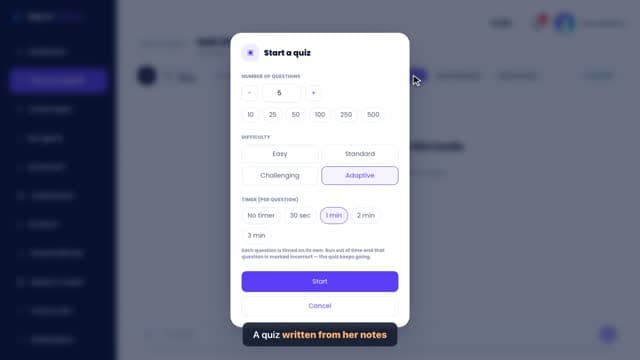
When you start a session with a study agent, choose Guided journey and type your goal, for example "Pass my January exams in three modules". Migo builds a step-by-step study plan in stages, with study, practice and quiz tasks you tick off. It is a task list, not a calendar, so you decide which days you work and which you rest, and take the next task from the plan on each working day. Quiz Mode covers the ten-minute self-test at the end of the day, and Exam Simulator gives a timed mixed session with a weak-topic report for the last two days. Every study mode is on the free plan, with up to 10 study messages and 15 quiz or exam questions a day. Student Pro removes the daily limits.
Questions
How many rest days should I take over Christmas?
There is no fixed number. Take the days that matter to you and your family completely off, and add at least one ordinary day off a week. In a 16-day break, five or six days off still leaves around ten working days.
Should I revise on Christmas Day?
You do not have to. One day will not decide your result, and a real day off usually makes the next working day better. If you would rather do something small, ten minutes of flashcards is enough.
What if I fall behind the timetable?
Use the spare day first. If you are still behind, cut the confident topics rather than adding hours or losing sleep, and keep the weak topics for your earliest exams.
When should I start revising for January exams?
The first working day of your break is a good start, even with a short session. Starting early with small sessions leaves room to come back to each topic more than once.
Related guides
- How to revise over Christmas without burning outTo revise over Christmas without burning out, plan your days off before you plan your study, keep working days to a few short, active sessions, stop at a set time each day and keep your sleep regular. The aim is steady work you can repeat, not the longest day you can survive once.
- How many hours a day should I revise over the Christmas holidays?There is no correct number of hours. Work yours out: count the topic sessions you need before your first exam, divide by the days you will really work, and check that the answer is something you can keep up. For many students that comes to a few focused hours on working days, with whole days off in between.
- January mock exams: a two-week revision planWith two weeks before January mocks, spend the first two days finding your weak topics, the next week working through them in short blocks with a self-test each day, and the last four or five days on timed papers and fixing what they show. Keep one full day off in each week.
- How to make a study timetable for examsTo make a study timetable for exams, list every topic for each exam, rank them by how weak you are and how much they are worth, then put specific topics into the free time you actually have, with regular review sessions and buffer time. Revisit the timetable each week and change it based on what your practice shows.
General study advice. Follow your own course’s guidance and your institution’s rules on assessment and AI use.