
How to make a study timetable for exams
To make a study timetable for exams, list every topic for each exam, rank them by how weak you are and how much they are worth, then put specific topics into the free time you actually have, with regular review sessions and buffer time. Revisit the timetable each week and change it based on what your practice shows.
What most advice leaves out
Most study timetables fail in the first week because they are built for an imaginary person with no lectures, shifts, travel or tiredness. They also tend to list subjects ("Monday: Chemistry") rather than tasks, so each session starts with deciding what to do. A timetable that works starts from the time you really have, assigns a specific topic and method to each slot, leaves room for things to go wrong, and changes as you find out what you know.
Step by step
- 1
Write down your fixed commitments
Start with a week view and block out lectures, work, travel, meals, sleep and anything else that will not move. What is left is your real study time.
- 2
List and rank every topic
For each exam, list the topics from the syllabus and mark each as weak, shaky or confident. Note which exams come first and which topics carry the most marks.
- 3
Assign topics to slots, not subjects
Put specific topics and tasks into each slot: "Organic mechanisms: 15 practice questions" rather than "Chemistry". Mix subjects across the week rather than doing one subject for days at a time.
- 4
Schedule reviews of earlier topics
Give each topic a return visit a few days after you first revise it, and again later. Short review slots at the start of a session work well for this.
- 5
Leave buffer time
Keep some slots empty each week. Things will overrun, and a buffer stops one bad day from wrecking the whole plan.
- 6
Review it every week
At the end of each week, look at what you did and what practice questions showed. Move weak topics forward and cut time from ones you now know.
Common mistakes
- Planning eight hours a day of study that you will never manage alongside everything else.
- Writing subject names rather than specific topics and tasks.
- Spending a whole day designing the timetable instead of starting.
Practise it with Migo AI Students
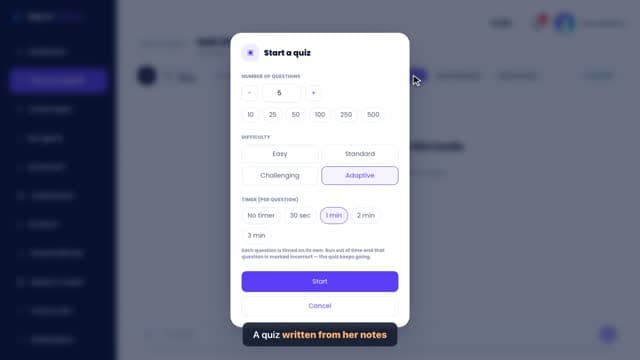
When you start a session with a study agent, you can choose Guided journey and tell Migo your goal, such as an exam on a set of topics. It builds a step-by-step study plan in stages, with study, practice and quiz tasks you tick off as you go. It is not a calendar, so put the sessions into your own timetable. To decide what to prioritise, Exam Simulator gives you a weak-topic report after a timed mixed session, and Quiz Mode can quiz you on just your weak topics. All free.
Questions
How many hours a day should my study timetable have?
Plan for what you can realistically sustain alongside your other commitments, and protect sleep. A smaller plan you keep to does more than an ambitious one you abandon.
How far before exams should I make a timetable?
As early as you can, ideally several weeks out, so there is room to come back to each topic more than once. If you have less time, a short timetable built around your weakest high-value topics still helps.
Should I study one subject per day or mix them?
Mixing subjects within a day or a week tends to keep sessions fresher and gives each topic natural gaps before you return to it.
Related guides
- How to revise for examsThe most reliable way to revise is to test yourself on the material repeatedly, spread over days or weeks, and to finish with timed practice in the format of the real exam. Rereading and highlighting feel like work but mostly build familiarity, not recall.
- How to revise for an exam in one weekWith a week left, stop trying to cover everything evenly. Find the topics most likely to be examined that you know least, test yourself on them every day, and finish with at least one timed practice in the real format.
- Interleaving study methodInterleaving is a study method where you mix different topics or types of problem within one session, for example alternating between three kinds of maths question, instead of practising one type many times in a row. It trains you to recognise which approach a question needs, which is what exams ask you to do.
- How to stop procrastinating when studyingTo stop procrastinating when studying, make the first step so small it is hard to refuse, such as answering three questions, start at a fixed time rather than when you feel ready, and remove the easy distractions before you begin. Procrastination is usually avoidance of an uncomfortable feeling, so lowering the cost of starting matters more than willpower.
General study advice. Follow your own course’s guidance and your institution’s rules on assessment and AI use.