
Cornell note taking method
The Cornell method is a note-taking layout that splits the page into three parts: a wide column for notes during the lecture, a narrow column on the left for questions or cue words added afterwards, and a short summary at the bottom. You revise by covering the notes and answering the questions in the left column.
What most advice leaves out
The Cornell layout is often presented as a neat page design, and students copy the boxes but skip the part that makes it work. The value is not in the lines on the page; it is in what you do after the lecture. Writing questions in the cue column forces you to decide what the notes are really about, and covering the right-hand side turns every page into a self-test. Without those two steps, a Cornell page is just ordinary notes with a margin. The summary box matters too. Squeezing a page into two or three sentences shows you quickly whether you understood the lecture or just wrote it down.
Step by step
- 1
Divide the page
Draw a vertical line about a third of the way in from the left, leaving a narrow cue column and a wide notes column. Leave a band of a few lines across the bottom for a summary.
- 2
Take notes in the wide column
During the lecture or reading, write the main points, explanations and examples in the right-hand column. Keep it brief and in your own words.
- 3
Add cues after the lecture
Soon afterwards, write questions or key words in the left column opposite each chunk of notes. "What causes X?" or "Three types of Y" are typical cues.
- 4
Write a short summary
In the bottom band, sum up the whole page in two or three sentences. If you cannot, you have found something to go back over.
- 5
Revise by covering the notes
Fold or cover the right-hand column, read each cue and answer it from memory. Check, and mark the cues you got wrong to come back to.
Common mistakes
- Drawing the layout but never filling in the cue column, so there is nothing to test yourself with.
- Writing cues as headings rather than questions, which gives you nothing specific to recall.
- Revising by reading the notes column instead of covering it and answering the cues.
Practise it with Migo AI Students
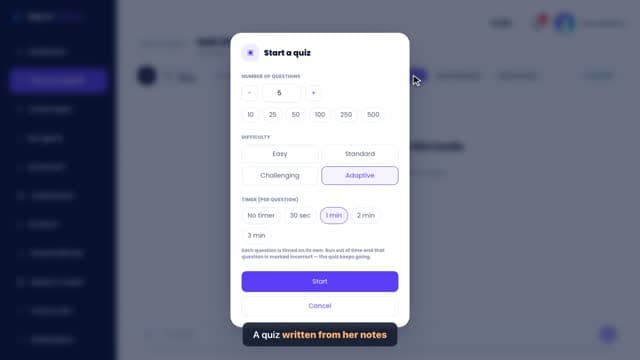
Paste a page of your notes into Notes Summarizer and it builds a summary, learning objectives, flashcards and quiz prompts, which is a quick way to check your own cue questions and summary against another version. Your cue questions can then become Flashcards, where you answer before you flip and rate yourself, and Quiz Mode can test the same topic in a timed set. All free.
Questions
Who invented the Cornell method?
It was developed at Cornell University in the United States as a note-taking system for students, which is where the name comes from.
Does the Cornell method work for every subject?
It suits lectures and reading with lots of concepts and explanations. For heavily mathematical subjects or diagram-heavy topics, worked examples or labelled sketches may work better in the notes column, with cues still added on the left.
Can I use the Cornell method digitally?
Yes. A two-column table with a summary box below works in any notes app. The covering-and-answering step still matters, so hide the notes column when you revise.
Related guides
- How to take notes in universityAt university, take notes that capture the lecture’s main points, the explanations around them and anything you did not understand, rather than copying the slides. Prepare by skimming the slides first, write in your own words during the lecture, and spend a few minutes tidying and adding questions soon afterwards.
- How to make revision notesMake revision notes that are short, organised by the questions you might be asked, and built so you can test yourself from them. Then spend most of your revision time using the notes, not making them.
- How to turn your notes into a quizTurn notes into a quiz by rewriting each key point as a question, mixing question types, and answering them later with your notes closed. Good questions test whether you can use an idea, not just whether you recognise it.
General study advice. Follow your own course’s guidance and your institution’s rules on assessment and AI use.